.png?width=500&height=100&name=500x100px%20Hubspot%20(3).png)
In case of failed upload to the server:
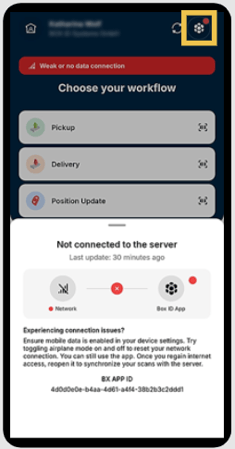
- Check your internet connection.
- A warning will appear on the home screen if you are offline or have a weak connection to the Box ID server.
- Check your device connectivity settings.
- Check if you are using an outdated version of the App.
- Ensure using the latest version of the Driver App.
- Check if your session has expired.
-
- Close the Driver App, Open and Re-login.
Otherwise, please contact the support team: support@box-id.com
Ideally, include the following information in your e-mail:
- BX App ID,
- Status message of failed upload message, and
- (if possible) screenshot of scan details of failed message.