.png?width=500&height=100&name=500x100px%20Hubspot%20(3).png)
Unboxing
Each device is labelled with its serial number (QR-code and numeric).
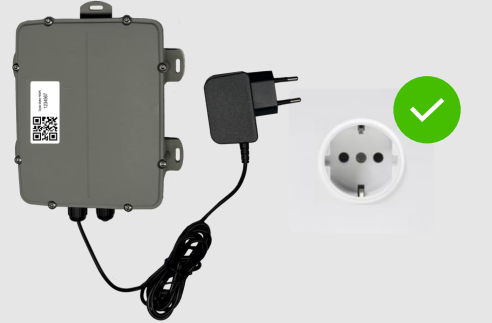
Before shipment, all devices are:- Fully assembled, including power supply (180 cm) and SIMcard.
- Updated to the latest firmware and Box ID specific configuration set up.
Tested on correct functioning.
All devices will start working as expected as soon as they are plugged into a
power socket.
Mounting
Mounting materials are not included in the package.
Select the most suitable mounting method for the mounting point’s surface.
When selecting a mounting point, consider the following:
- A 230V wall socket is in the proximity of the mounting point.
- Mount the device with the lid facing the monitored load carrier area.
- Avoid installing the device in a fully enclosed metal construction.
- Keep the device away from heat and direct sunlight.
- Protect the device from accidental damage or unauthorized access.
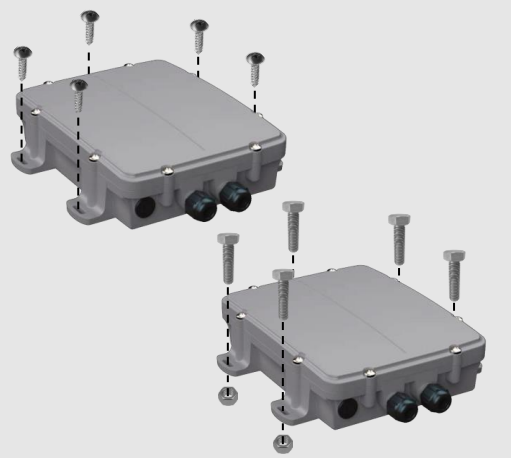
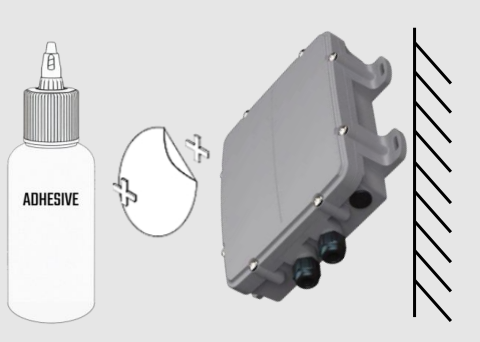
Devices can be mounted with screws, bolts, or adhesive.
Important: During installation, position the device so that the cable exits downward and the antenna is directed upward.
Screws or Bolts
The device can be mounted on any surface using screws or bolts.
Screws: 3.5 x 40 mm (with pan head suitable for the mounting).
Bolts:
- M3 x L. Where L depends on the thickness of the surface that will be used for mounting.
- Put an M3 ring between the bolt and the housing. Use a M3 locknut to tighten the bolt.
Industrial Adhesive
The adhesive should be suited for installing plastic on the target surface. Mounting with adhesive is only recommended for smooth surfaces.
Follow the instructions of the adhesive supplier for the mounting process.
Installing
Before installing check if the target wall socket is working.
Activate the device by inserting the plug into the 230V wall socket. This will trigger communication towards the BOX ID software platform.
Check Operational Status
After connecting the device to the socker, wait for 15 minutes.
Open the Tag list on the BOX ID Software and check in the gateway’s details when the last message was sent.
Start tracking Assets
After mounting the BOX ID pairing process can begin.
Make sure you have mounted the BLE beacons.
Read more on setting up assets and pair them with a tag.