.png?width=500&height=100&name=500x100px%20Hubspot%20(3).png)
A Scanpage simplifies asset management by quickly scanning tags to automatically create assets, pair tags and add multiple tags, eliminating manual data entry.
Create an Asset and pair with a Tag
1. Access the Scanpage App
-
Open the Web Portal and navigate to the Settings link at the bottom-left corner.
-
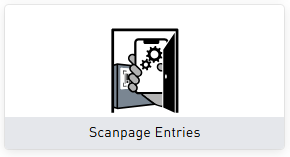
When the Settings page opens, click/tap on Scanpage Entries.
-
Click/tap on Global Device Pairing.
-
Access the Scanpage Web App by either Scanning the QR code, or Clicking/tapping the link.
2. Select Asset Type & Tag Type
-
Select the asset type.
-
Select the tag type.
3. Scan Tag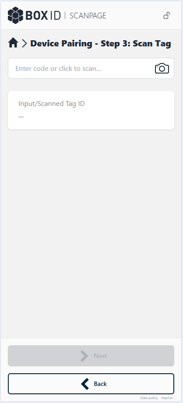
-
Tap the camera icon to scan the tag’s code or enter the code manually.
-
Tap Next.
4. Pair Asset and Tag
-
Review all information. The Asset name can be entered or changed here.
-
Tap Create to pair the tag.
The asset has been created and paired with a tag. You now have the following options:
-
Pair additional tags. Tap Pair an additional tag to add another tag.
-
Create a new asset of the same type. Tap New to return to the beginning.
Pair the Asset with an additional Tag
Once an asset is created, you can add multiple tags to it immediately via Scanpage or later manually in the software.
- Tap Pair an additional tag.
- Scan or manually enter the new tag.
- Tap Next, review, then tap Pair.
- Repeat or create a new asset as needed.
Note: To choose a different asset type or tag type after selecting New, tap the "Back" button.
Scanpage Error Messages
Quickly identify common error messages and learn how to resolve them.
| Tag is already paired | 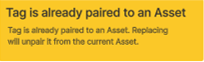 |
This is just a warning. It can be ignored/skipped. Tap “Confirm”. |
| Tag not found | 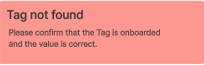 |
Confirm that the tag is onboarded and the value is correct. |
| Asset Type not found | 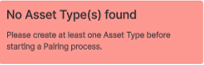 |
The asset type needs to be added to the software. |
| No Tag(s) found | 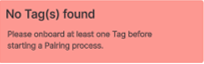 |
The tag type needs to be added in the software. |
| Tag limit reached for additional Tags | 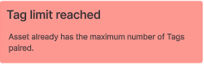 |
The tag needs to be paired with another asset. Tap New to start a new pairing process. Or, a tag needs to be replaced. Tap Back to add another tag. |